Microsoft Word
Microsoft Word is Microsoft's word processor and part of Microsoft 365. This page explains who it suits and how to get it on Windows.
289.2 MB

2026.002.21931 · Adobe Systems Inc · Page updated
Adobe Acrobat Reader is Adobe's free Windows application for opening, reading, printing and commenting on PDF documents.
Average 0.0 · ratings: 0
Thank you! Your rating is saved; you can change it. Could not save the rating. Please try again later. Too many ratings from your network today. Please try again tomorrow. The average appears after 5 ratings.
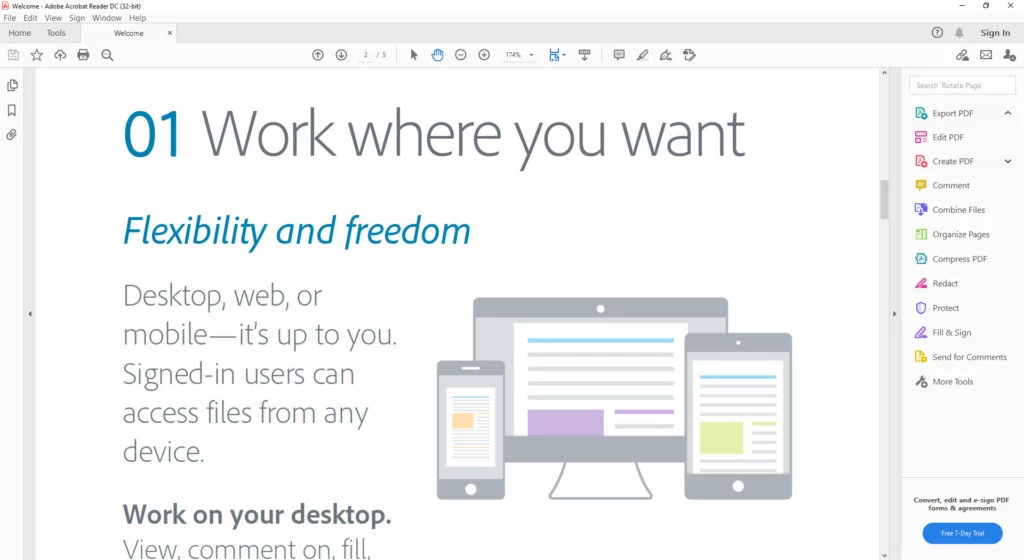
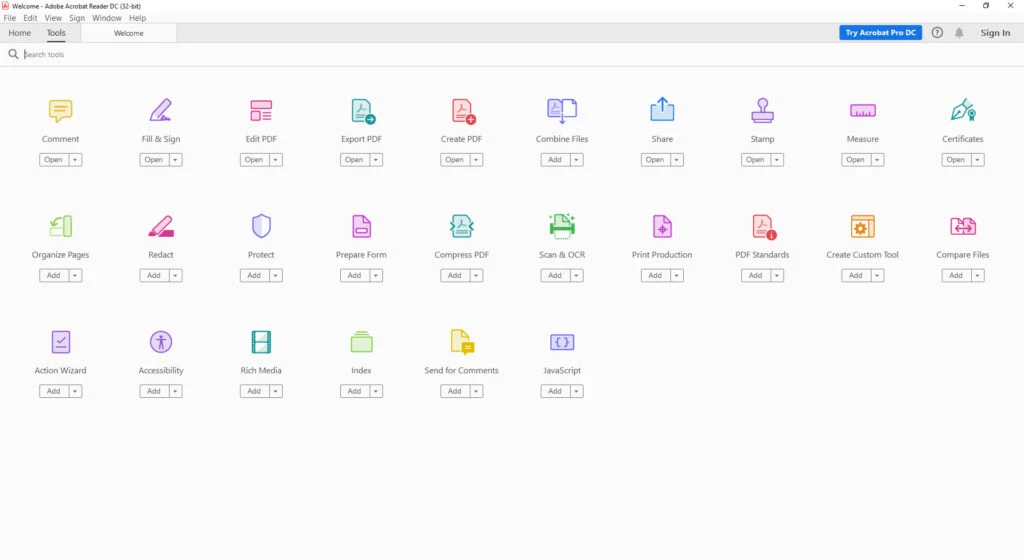
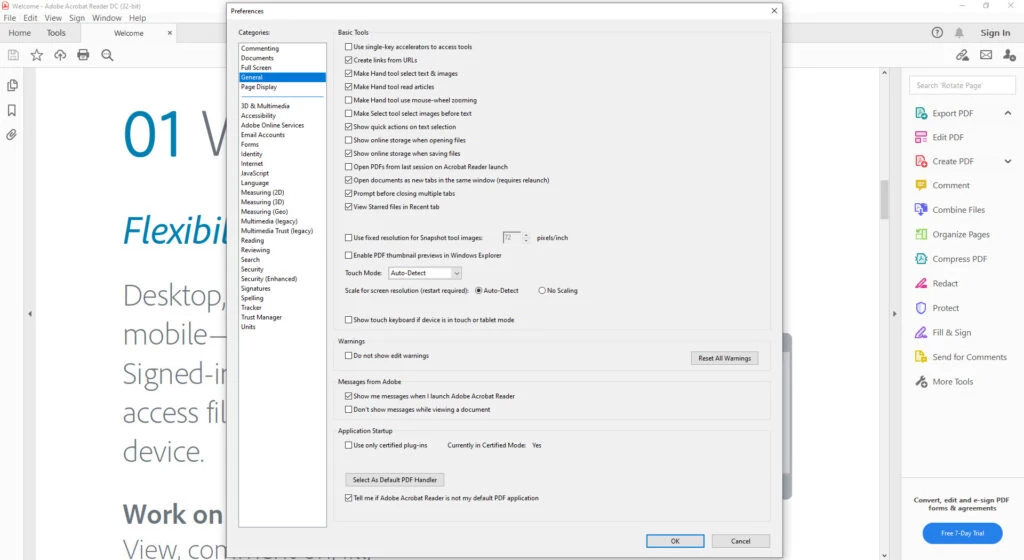
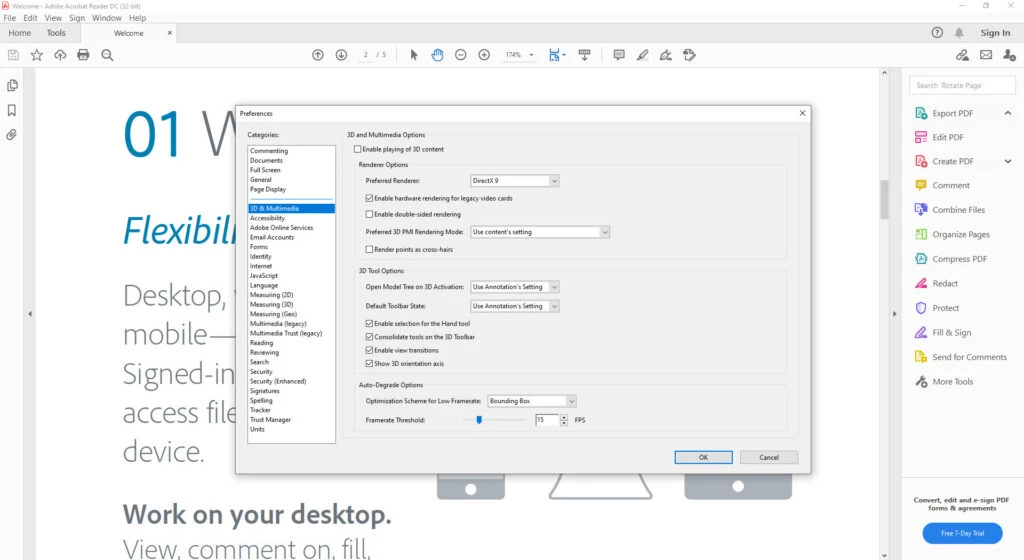
Adobe PDF Reader 2026.002.21931, known as Adobe Acrobat Reader, is Adobe's free application for viewing PDF files on Windows. You can download Acrobat Reader from adobe.com and use it to open, print and comment on documents, from contracts and invoices to e-books and forms.
Acrobat Reader is Adobe's own free viewer for the PDF format. It opens documents exactly as their authors laid them out, with the same fonts, images and page breaks on any computer. Beyond reading, it lets you print documents and add comments when you review them with colleagues. For many offices, government services and schools it is the default program for PDF, so it is useful to have when a form does not behave correctly in a browser. The free Reader focuses on viewing and light review; for heavy editing of PDF content you will need a dedicated editor.
| Component | Reader 32-bit | Reader 64-bit |
|---|---|---|
| Processor | Intel or AMD, 1.5 GHz or faster | Intel or AMD, 1.5 GHz or faster |
| Windows | Windows 11 (64-bit); Windows 10 version 1809 or later; Windows 8, 8.1; Windows 7 SP1; several Windows Server versions | Windows 11; Windows 10 version 1809 or later (64-bit); Windows Server 2016, 2019, 2022 |
| RAM | 2 GB | 2 GB |
| Disk space | 4.5 GB | see Adobe's page |
The full table is on Adobe's requirements page.
Reader is free. PDF files can contain scripts and links, so keep Reader updated: Adobe releases regular security fixes, listed in the release notes. Open attachments only from senders you trust, and download Reader exclusively from adobe.com, since fake PDF readers are a classic way to spread malware.
Large scanned documents and many open tabs use a lot of memory. Close documents you are not using, turn off features you do not need in the preferences, and check that the PC meets the 2 GB RAM minimum with room to spare. If Reader starts slowly, updating it often helps.
Our listings include lighter or different tools for PDF: PDF Reader, PDF Candy Desktop, Wondershare PDFelement, PDFCreator for making PDFs and the office suites LibreOffice and WPS Office.
Microsoft Word is Microsoft's word processor and part of Microsoft 365. This page explains who it suits and how to get it on Windows.

Microsoft Office 2010 is an office suite for Windows released in 2010; Microsoft ended its support on 13 October 2020 and recommends Microsoft 365.
Microsoft Office 2019 is a one-time purchase edition of Microsoft's office suite for Windows 10 and macOS, released in September 2018.

Adobe Reader XI (11) is an older version of Adobe's free PDF viewer for Windows; its support ended in October 2017 and Adobe Acrobat Reader is the successor.
iLovePDF Desktop is the Windows app of the iLovePDF service: merge, split, compress, convert and edit PDF files on your PC without uploading them.
Microsoft Office 2013 is an office suite for Windows released in 2013; support ended on 11 April 2023 and Microsoft recommends Microsoft 365.

Microsoft Excel is Microsoft's spreadsheet program for calculations, tables and data analysis. Build 16.0.19725.20152 is a current Windows release.

Microsoft Office 2007 is a Windows office suite released in 2007; its support ended on 10 October 2017, and Microsoft recommends Microsoft 365.